
Lesson guide
Learning objectives
- Explain the main purpose of Object references and copying in JavaScript.
- Identify the syntax, APIs, or concepts introduced in this lesson.
- Use the examples to predict how JavaScript will behave before you run similar code.
- Connect this topic to nearby lessons in Objects: the basics.
Real-world context
This lesson matters when you need to recognize where Object references and copying fits into real JavaScript programs. One of the fundamental differences of objects versus primitives is that objects are stored and copied “by reference”, whereas primitive values: strings, numbers, booleans, etc – are always copied “as a whole value”.
Key ideas
- Object references and copying is part of the Objects: the basics chapter, so it builds on the surrounding concepts rather than standing alone.
- Read each code example in two passes: first for the result, then for the rule that explains the result.
- When a section compares similar features, focus on the condition that makes you choose one feature over another.
Key terms
- Object references and copying
- Object
- references
- copying
- Objects: the basics
One of the fundamental differences of objects versus primitives is that objects are stored and copied “by reference”, whereas primitive values: strings, numbers, booleans, etc – are always copied “as a whole value”.
That’s easy to understand if we look a bit under the hood of what happens when we copy a value.
Let’s start with a primitive, such as a string.
Here we put a copy of message into phrase:
let message = "Hello!";
let phrase = message;
As a result we have two independent variables, each one storing the string "Hello!".
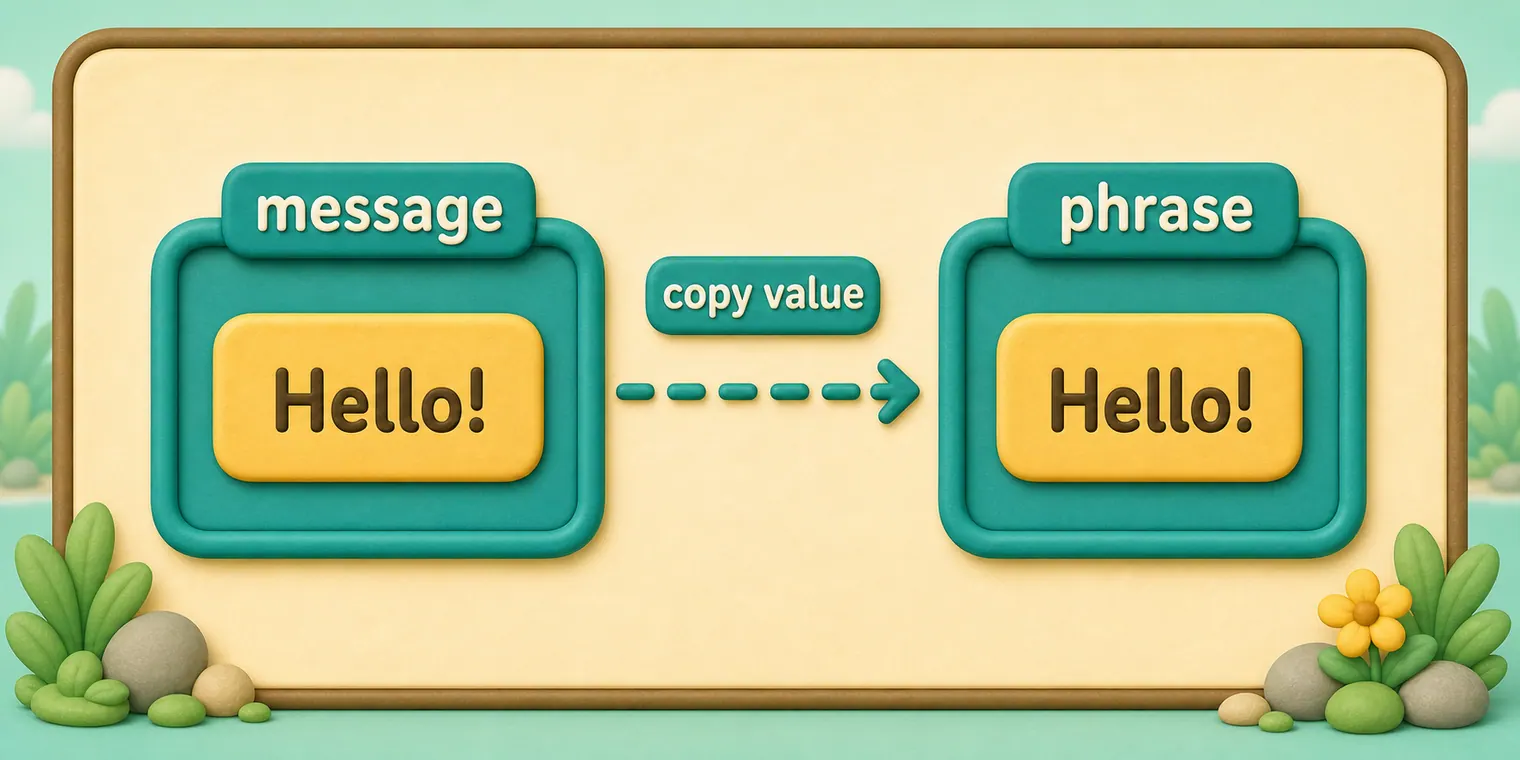
Quite an obvious result, right?
Objects are not like that.
A variable assigned to an object stores not the object itself, but its “address in memory” – in other words “a reference” to it.
Let’s look at an example of such a variable:
let user = {
  name: "John"
};
And here’s how it’s actually stored in memory:
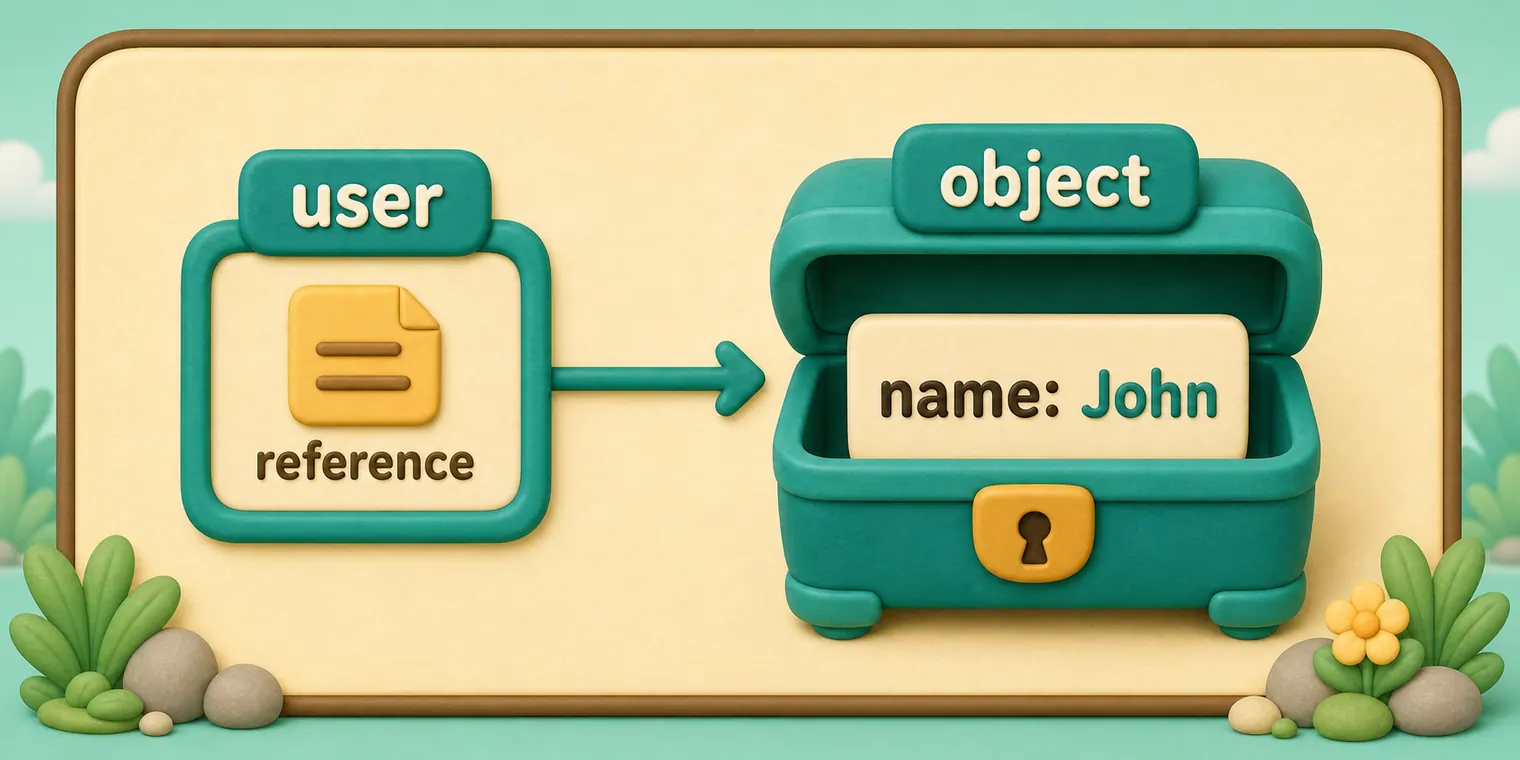
The object is stored somewhere in memory (at the right of the picture), while the user variable (at the left) has a “reference” to it.
We may think of an object variable, such as user, like a sheet of paper with the address of the object on it.
When we perform actions with the object, e.g. take a property user.name, the JavaScript engine looks at what’s at that address and performs the operation on the actual object.
Now here’s why it’s important.
When an object variable is copied, the reference is copied, but the object itself is not duplicated.
For instance:
let user = { name: "John" };

let admin = user; // copy the reference
Now we have two variables, each storing a reference to the same object:
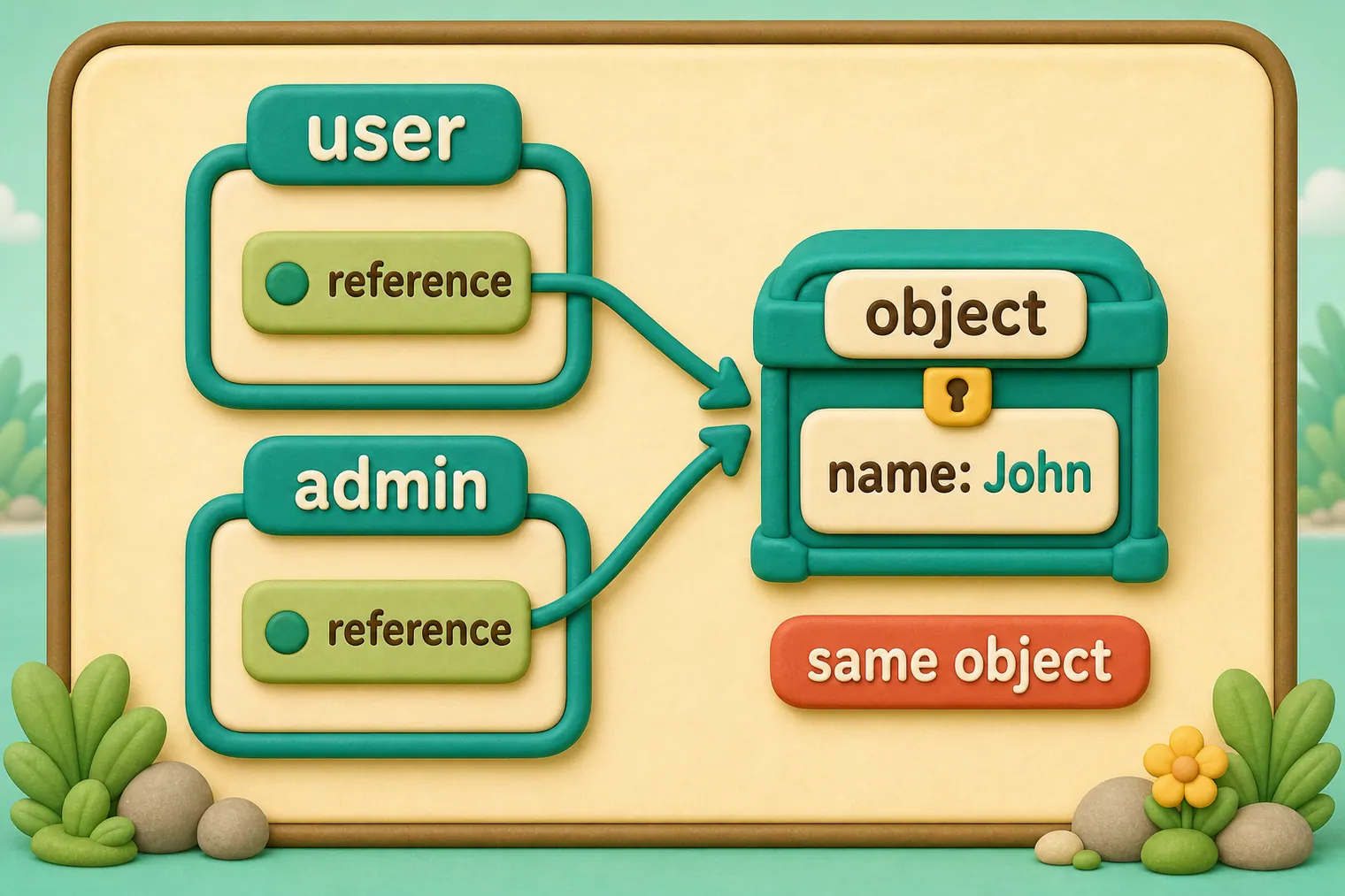
As you can see, there’s still one object, but now with two variables that reference it.
We can use either variable to access the object and modify its contents:
let user = { name: 'John' };

let admin = user;

admin.name = 'Pete'; // changed by the "admin" reference

alert(user.name); // 'Pete', changes are seen from the "user" reference
It’s as if we had a cabinet with two keys and used one of them (admin) to get into it and make changes. Then, if we later use another key (user), we are still opening the same cabinet and can access the changed contents.
Comparison by reference
Two objects are equal only if they are the same object.
For instance, here a and b reference the same object, thus they are equal:
let a = {};
let b = a; // copy the reference

alert( a == b ); // true, both variables reference the same object
alert( a === b ); // true
And here two independent objects are not equal, even though they look alike (both are empty):
let a = {};
let b = {}; // two independent objects

alert( a == b ); // false
For comparisons like obj1 > obj2 or for a comparison against a primitive obj == 5, objects are converted to primitives. We’ll study how object conversions work very soon, but to tell the truth, such comparisons are needed very rarely – usually they appear as a result of a programming mistake.
Const objects can be modified
An important side effect of storing objects as references is that an object declared as const can be modified.
For instance:
const user = {
  name: "John"
};

user.name = "Pete"; // (*)

alert(user.name); // Pete
It might seem that the line (*) would cause an error, but it does not. The value of user is constant, it must always reference the same object, but properties of that object are free to change.
In other words, the const user gives an error only if we try to set user=... as a whole.
That said, if we really need to make constant object properties, it’s also possible, but using totally different methods. We’ll mention that in the chapter Property flags and descriptors.
Cloning and merging, Object.assign
So, copying an object variable creates one more reference to the same object.
But what if we need to duplicate an object?
We can create a new object and replicate the structure of the existing one, by iterating over its properties and copying them on the primitive level.
Like this:
let user = {
  name: "John",
  age: 30
};

let clone = {}; // the new empty object

// let's copy all user properties into it
for (let key in user) {
  clone[key] = user[key];
}

// now clone is a fully independent object with the same content
clone.name = "Pete"; // changed the data in it

alert( user.name ); // still John in the original object
We can also use the method Object.assign.
The syntax is:
Object.assign(dest, ...sources)
- The first argument
destis a target object. - Further arguments is a list of source objects.
It copies the properties of all source objects into the target dest, and then returns it as the result.
For example, we have user object, let’s add a couple of permissions to it:
let user = { name: "John" };

let permissions1 = { canView: true };
let permissions2 = { canEdit: true };

// copies all properties from permissions1 and permissions2 into user
Object.assign(user, permissions1, permissions2);

// now user = { name: "John", canView: true, canEdit: true }
alert(user.name); // John
alert(user.canView); // true
alert(user.canEdit); // true
If the copied property name already exists, it gets overwritten:
let user = { name: "John" };

Object.assign(user, { name: "Pete" });

alert(user.name); // now user = { name: "Pete" }
We also can use Object.assign to perform a simple object cloning:
let user = {
  name: "John",
  age: 30
};

let clone = Object.assign({}, user);

alert(clone.name); // John
alert(clone.age); // 30
Here it copies all properties of user into the empty object and returns it.
There are also other methods of cloning an object, e.g. using the spread syntaxclone = {...user}, covered later in the tutorial.
Nested cloning
Until now we assumed that all properties of user are primitive. But properties can be references to other objects.
Like this:
let user = {
  name: "John",
  sizes: {
    height: 182,
    width: 50
  }
};

alert( user.sizes.height ); // 182
Now it’s not enough to copy clone.sizes = user.sizes, because user.sizes is an object, and will be copied by reference, so clone and user will share the same sizes:
let user = {
  name: "John",
  sizes: {
    height: 182,
    width: 50
  }
};

let clone = Object.assign({}, user);

alert( user.sizes === clone.sizes ); // true, same object

// user and clone share sizes
user.sizes.width = 60;    // change a property from one place
alert(clone.sizes.width); // 60, get the result from the other one
To fix that and make user and clone truly separate objects, we should use a cloning loop that examines each value of user[key] and, if it’s an object, then replicate its structure as well. That is called a “deep cloning” or “structured cloning”. There’s structuredClone method that implements deep cloning.
structuredClone
The call structuredClone(object) clones the object with all nested properties.
Here’s how we can use it in our example:
let user = {
  name: "John",
  sizes: {
    height: 182,
    width: 50
  }
};

let clone = structuredClone(user);

alert( user.sizes === clone.sizes ); // false, different objects

// user and clone are totally unrelated now
user.sizes.width = 60;    // change a property from one place
alert(clone.sizes.width); // 50, not related
The structuredClone method can clone most data types, such as objects, arrays, primitive values.
It also supports circular references, when an object property references the object itself (directly or via a chain or references).
For instance:
let user = {};
// let's create a circular reference:
// user.me references the user itself
user.me = user;

let clone = structuredClone(user);
alert(clone.me === clone); // true
As you can see, clone.me references the clone, not the user! So the circular reference was cloned correctly as well.
Although, there are cases when structuredClone fails.
For instance, when an object has a function property:
// error
structuredClone({
  f: function() {}
});
Function properties aren’t supported.
To handle such complex cases we may need to use a combination of cloning methods, write custom code or, to not reinvent the wheel, take an existing implementation, for instance _.cloneDeep(obj) from the JavaScript library lodash.
Common mistakes
- Skipping the small examples and then missing the exact rule that Object references and copying depends on.
- Copying code without changing one value at a time to see which part controls the result.
- Treating similar-looking syntax or APIs as interchangeable before checking their edge cases.
Summary
Objects are assigned and copied by reference. In other words, a variable stores not the “object value”, but a “reference” (address in memory) for the value. So copying such a variable or passing it as a function argument copies that reference, not the object itself.
All operations via copied references (like adding/removing properties) are performed on the same single object.
To make a “real copy” (a clone) we can use Object.assign for the so-called “shallow copy” (nested objects are copied by reference) or a “deep cloning” function structuredClone or use a custom cloning implementation, such as _.cloneDeep(obj).
Predict
Before running this check, predict the four lines. Track which variables point to the same object, which clone is shallow, and which clone owns a separate nested object.
Reveal explanation
The output is Pete, John, 60, and 50. admin and user reference the same object, so changing admin.name changes user.name. Object.assign({}, user) creates a new top-level object, so shallowClone.name stays "John", but it copies the nested sizes object by reference, so shallowClone.sizes.width follows the change to 60. structuredClone copies the nested object too, so deepClone.sizes.width remains 50.
Try it
Change shallowClone.name after the clones are created and predict whether user.name changes. Then change deepClone.sizes.width and verify that neither user nor shallowClone follows it.
Practice
- Rewrite one example from this lesson without looking at the original, then run it and compare the result.
- Change one input, operator, method call, or option in a code sample and predict what will happen before running it.
- Explain Object references and copying in your own words as if you were reviewing it with another learner.
Keep learning
Continue with Garbage collection when you are ready for the next lesson.